The EAE Open House was definitely a success. People really enjoyed our game and we got great feedback. Even though our game is targeted towards kids, their parents enjoyed playing it as well. It was fun to see kids play the game, especially the hyperactive ones, and I saw that their parents enjoyed watching them play it as well too. Overall, our goal was for people to have fun, and they definitely did.
Some feedback that we got was that we should make a GUI that informs the player how to do the poses – we’ve been talking awhile about implementing some sort of messaging system, but it’s definitely been put on the backburner. Now that the public is suggesting it and that we have more time, we can hopefully get this into the game next semester. Currently, we have the Kinect’s default GUI that shows a body made of floating balls that indicate the hands, joints, head, etc. It makes sense to us as adults, but it could possibly be beyond the grasp of younger kids. This is definitely something important for us to get in before we publish the game.
We were working on this level up until the midnight hour. The engineers were finally able to place the tracks down and get the game running without any disasters. After that it was up to me to place all the obstacles and collectibles, which took quite awhile. Finally, Ashley and Brandon placed all the art assets of trees and such within the level, along with the caves and grass to create the rabbit and tiger areas. One of the reasons that it took awhile is that Unity only allows one person to work within a scene. That means that Anurag can program the track tool in another scene, Pace can work on occlusion in one scene, and I can edit the game level in another scene, but we can’t work on the same scene at the same time. Thus, this creates a lot of dependency for when the artist wants to tweak and modify the environmental art. This unfortunate situation makes for a lot of sitting around for the team sometimes.
We overcame all of that though and made a level that was ready for the public and I’m happy to say that the response was positive. There is a lot of work to do for the next semester, especially considering that most of our team will be gone on internships, but I know that we’ll be able to further add to this product and make it a solid gameplay experience and thesis project.
In the gallery below, you’ll see a variety of people in age and gender playing the game. The child in the picture particularly enjoyed the game and played it for quite awhile. Once he figured out the poses, he had a lot of fun, and even when the Kinect didn’t recognize his poses, he still seemed to enjoy transforming into the animals and jumping around. We had an older guest play the game, and with guidance from Ashley, she went through a complete run on the game. However, she couldn’t jump very high, so her characters weren’t able to jump. This could be something that we change in the Kinect – currently it looks for the hip bones to elevate above a certain level and people who aren’t able to jump to that point will find their characters can’t jump. The goat will ram through anything with no speed slowdown, so hypothetically they could play as the goat during obstacle heavy areas, but who doesn’t like to jump? This would be something we could assess in next semester’s build. You’ll also see that we have a young man playing the game. I think we intrigued people and had a wide demographic (for the event) play the games.
Summary of what I learned from the Open House:
Kids are unpredictable: They’ll play the game any which way they choose. Even if the poses aren’t recognized by the Kinect, the kid will keep pushing on until that pose is recognized. We should allow for a wider range of the Kinect’s motion detection next semester. We also need a clear messaging system in place that tells players “Almost there” or “You got it!” when they’re attempting the poses. This could be resolved by a simple voice over and on screen graphic.
Certain moves are harder for older players: As I mentioned above, the older woman had a harder time jumping, so her characters onscreen couldn’t jump. Going further, I wonder if it’s harder for older people with bad hips to squat and strike the goat pose. On the other side of the coin, partnering with a physical therapist, one could think of how a Kinect game can be therapeutic for older players. There were many reports of senior citizens playing the wii so why couldn’t we think of ways that the Kinect can help increase their movement activity in a safe way? Our game is too far along I think to really tailor it for older people, but in the future, a Kinect game at retirement homes could be a worthy project.
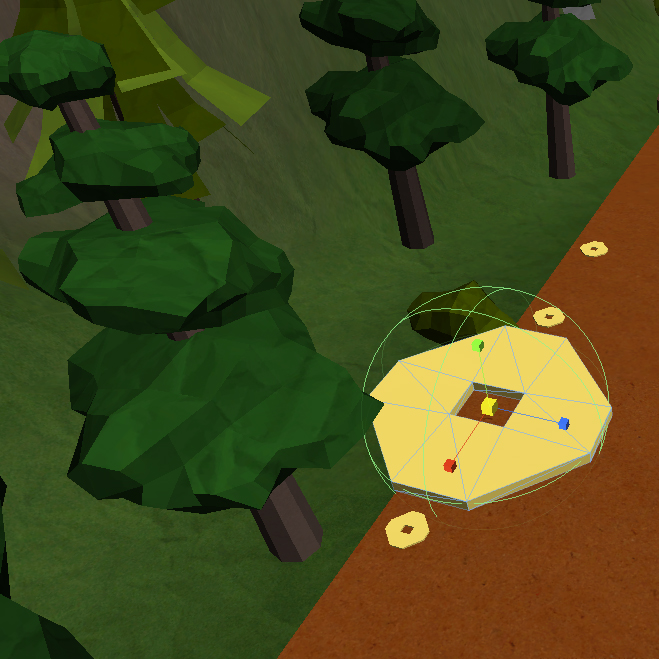
Unity is weird: This is kind of a side note, but one thing that I’ve been having a lot of issues is that when I place obstacles or collectibles in the level, they show up completely differently when the game is running. I don’t know if this is an issue due to visual perspective when populating the scene in Unity’s engine, but where one thing might look fine in the scene, it looks completely out of whack when the game is running. As a result, I have coins floating in weird spots. Not quite sure what is happening, but hopefully it’s something that we can nail down. I also hate that only one person can edit the scene at a time; it creates a lot of moments where people are stuck sitting around waiting to get in the engine while another finishes it. Something for EAE to consider when using Unity in the future for capstone/thesis programs.

Mom joins in on the fun

An epic mustache will give your character a stat boost.

Even old people can get into Zodiac!

One of our young fans bouncing around

The family comes together to play Zodiac

The Team Strikes a pose







 Josh Lee